Phone surfaces
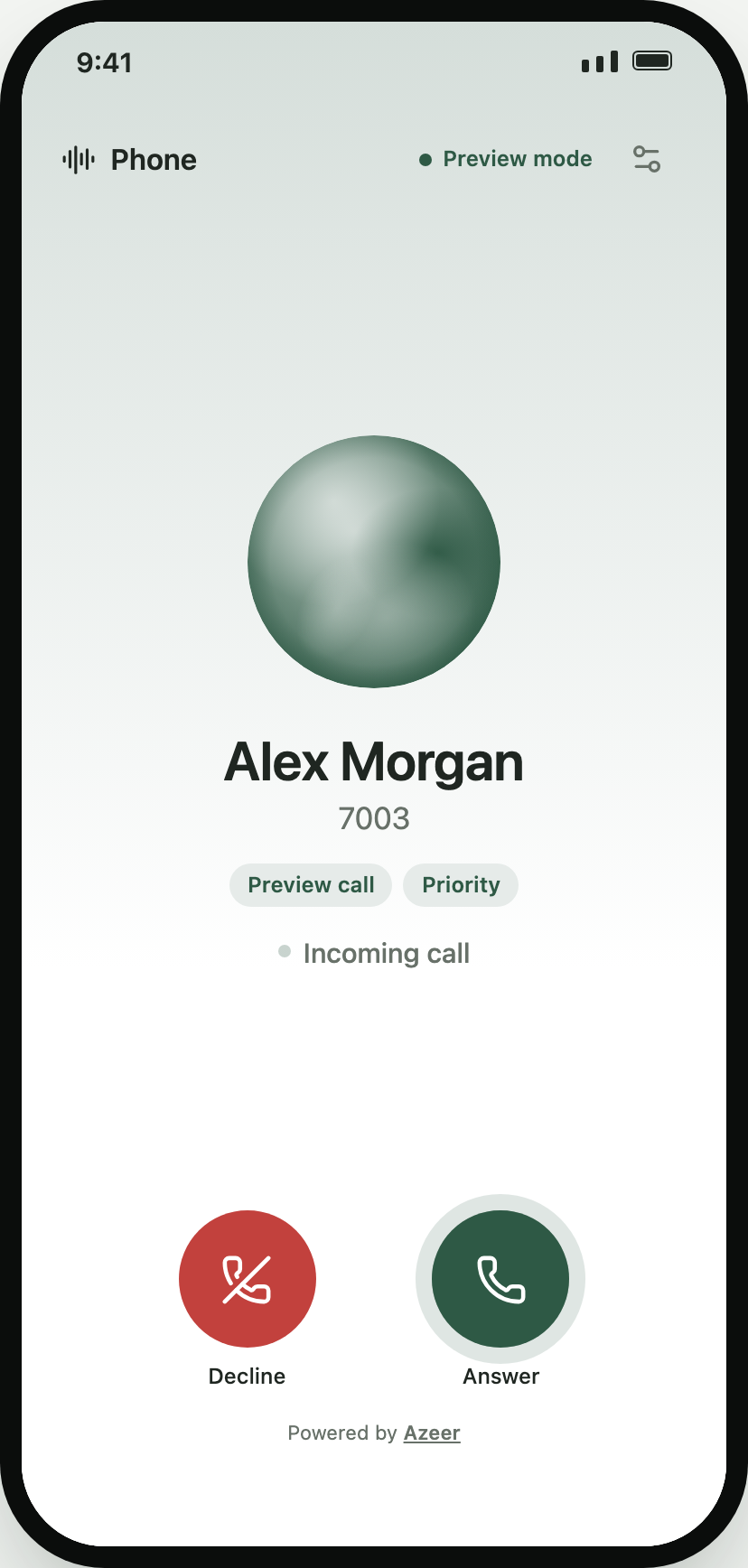
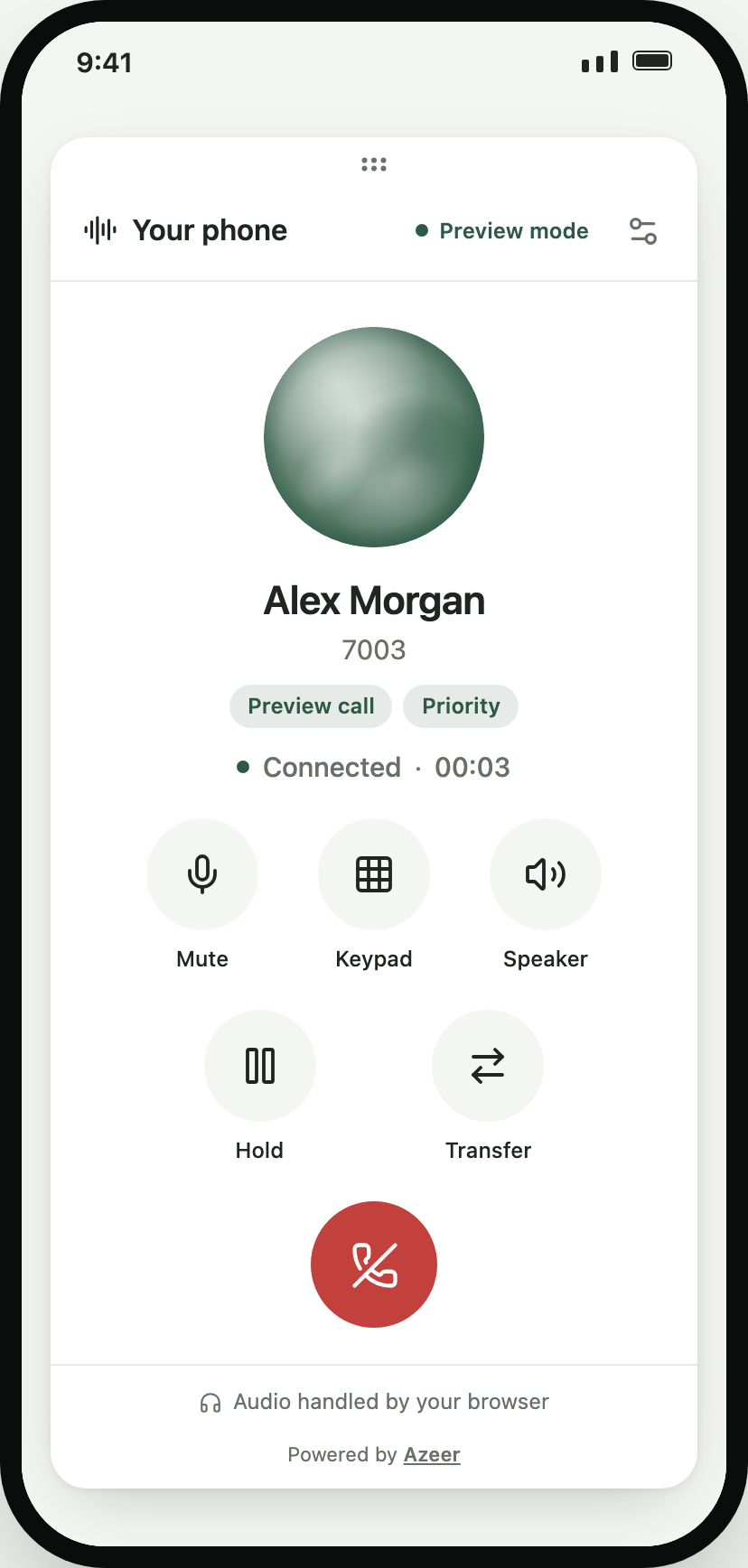
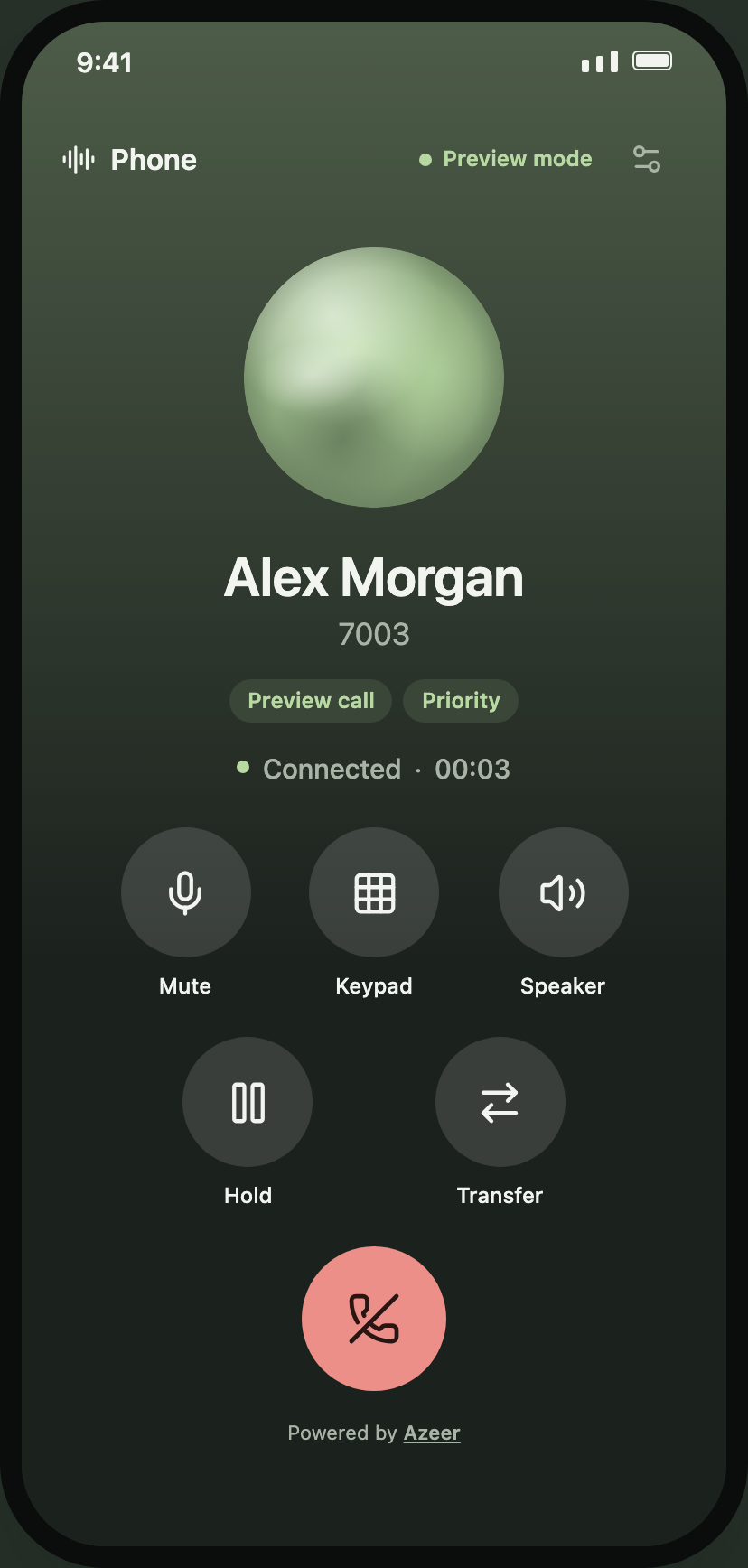
SipPhone (or PhoneWidget inside a PhoneProvider) renders one of three surfaces. All share the same line, state, and props.
variant |
Use it for | Layout |
|---|---|---|
screen |
A phone tab or route | Fills its parent; immersive accent gradient during calls; pass safe-area insets |
card (default) |
A phone inside a scroll view or dashboard | Rounded card up to 400 pt wide with header, status, settings, and footer; optional draggable grip |
sheet |
Your own modal, bottom sheet, or popover | No outer chrome; pass header={null} to drop the title row |
<SipPhone config={config} autoConnect variant="screen" insets={useSafeAreaInsets()} preset="advanced" answerStyle="slide" visualization={{ type: "orb" }} caller={{ name: "Support line", number: "7003" }} resolveCaller={(caller) => crm.lookup(caller.number) ?? caller}/>Presets and features
Section titled “Presets and features”| Feature | basic |
advanced (default) |
compact |
Notes |
|---|---|---|---|---|
keypad |
– | ✓ | – | Without it, a phone-pad text field and Call button are shown |
mute |
✓ | ✓ | ✓ | |
speaker |
✓ | ✓ | ✓ | Shown only when audio routing is available |
hold |
– | ✓ | ✓ | |
transfer |
– | ✓ | – | Blind REFER transfer panel |
recents |
– | ✓ | – | Keypad / Recents tabs from real call history |
waveform |
✓ | ✓ | – | Default visual when visualization.type is not set |
audioSettings |
✓ | ✓ | – | Microphone access, device choice (web), volume |
Override any feature: features={{ transfer: false, recents: true }}. Choose and order in-call buttons with controls={["mute", "speaker", "keypad", "hangup"]}; hangup always sits on its own row. controls only shapes the in-call grid; the idle keypad follows features.keypad.
Your own in-call buttons
Section titled “Your own in-call buttons”import { NotebookPen, Disc } from "lucide-react-native";
<SipPhone controls={["mute", "notes", "speaker", "record", "hold", "hangup"]} extraControls={[ { key: "notes", label: "Notes", icon: NotebookPen, onPress: (call) => openNotes(call?.caller) }, { key: "record", label: recording ? "Recording" : "Record", icon: Disc, selected: recording, onPress: toggleRecording }, ]}/>Custom buttons share the round style, toggle state (selected), disabled, accessibility, and theme. List their key in controls to position them; unlisted ones go last. controlLabels={false} hides captions under all buttons (names stay accessible), and CallControls accepts columns for denser grids.
Keypad
Section titled “Keypad”- Keys register on touch-down with a DTMF tone and haptic tick, like a hardware phone.
- Long-press 0 for
+; long-press delete to clear. The display shrinks as the number grows and accepts pasted SIP addresses. - During a call, Keypad swaps the control grid for the keypad; keys send DTMF and the display shows digits sent. Hide returns.
- Keys size themselves to the height the phone actually has (full screen, split view, sheet), so short phones fit without scrolling and the keypad stays 3×4.
- Contact suggestions and speed dial are covered in Contacts & speed dial.
Incoming calls
Section titled “Incoming calls”answerStyle="buttons" (default) shows Decline and a pulsing Answer button. answerStyle="slide" shows an iOS-style slide to answer track; VoiceOver and TalkBack users get a direct “Answer” action instead of the gesture.
Recents
Section titled “Recents”With features.recents, the idle phone shows Keypad / Recents tabs. Recents lists this client’s real call history (missed calls in red, direction icons, durations) and calls back with one tap. History lives in memory; persist state.history yourself if you need it across launches. historyLimit on the client bounds it (default 50).
Slots and chrome
Section titled “Slots and chrome”| Prop | Effect |
|---|---|
title |
Header title (default “Your phone”) |
header / footer |
Replace; null hides |
renderAvatar, renderTags |
Render your own avatar or tags for a Caller |
showAvatar |
Force the avatar on or off alongside visuals |
branding |
{ name, href } “Powered by” line; non-HTTP links render as text |
draggable |
Card only: true or { bounds: "window", margin, position, onPositionChange } |
immersive |
Screen only: tinted call background (default true) |
contacts, searchContacts, suggestions, speedDial, keypadLetters |
Keypad suggestions and shortcuts; see Contacts & speed dial |
labels, formatNumber |
Wording/translation and number display; see Themes, identity & motion |